



Where is SMS password recovery?
In Forgot password?, choose Reset by SMS, check the prefix, enter your number and tap Send code.
The SMS only arrives if that number is already verified on your account (Settings → Phone number → Verify). If it is not verified, use email recovery.
You can request 1 code every 15 minutes and up to 3 per day.
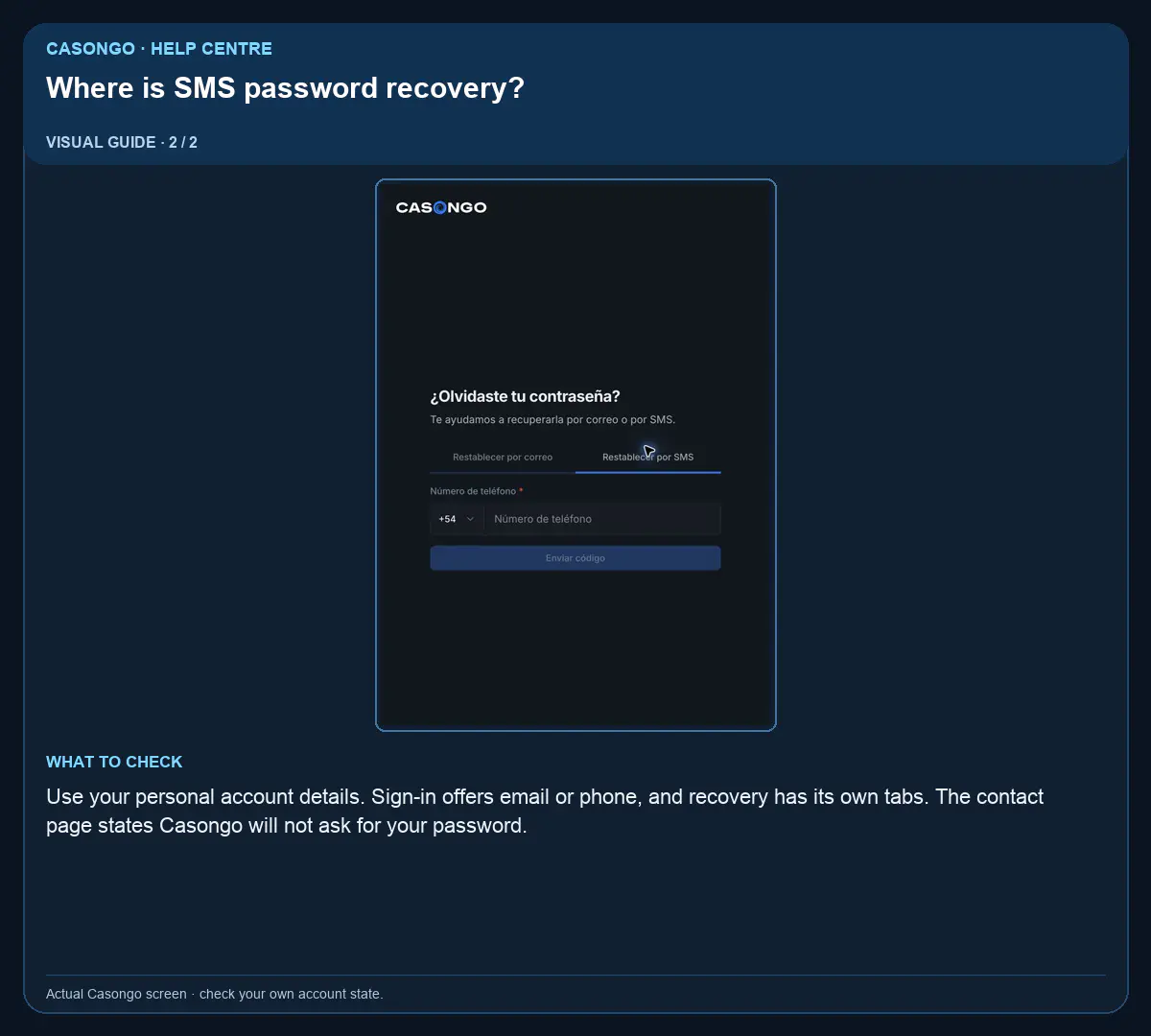
Interface example. Your account state and availability may differ.
Step by step
- 1Open Forgot password?
- 2Select Reset by SMS.
- 3Check the prefix and enter the verified number on your account.
- 4Tap Send code.