

How to Deposit with Crypto

Follow these steps to send a deposit from your crypto wallet and check when it reaches your Casongo balance.

1. Choose your cryptocurrency

Sign in, open Deposit and choose the cryptocurrency option if it is available. Choose your currency under Crypto Methods.
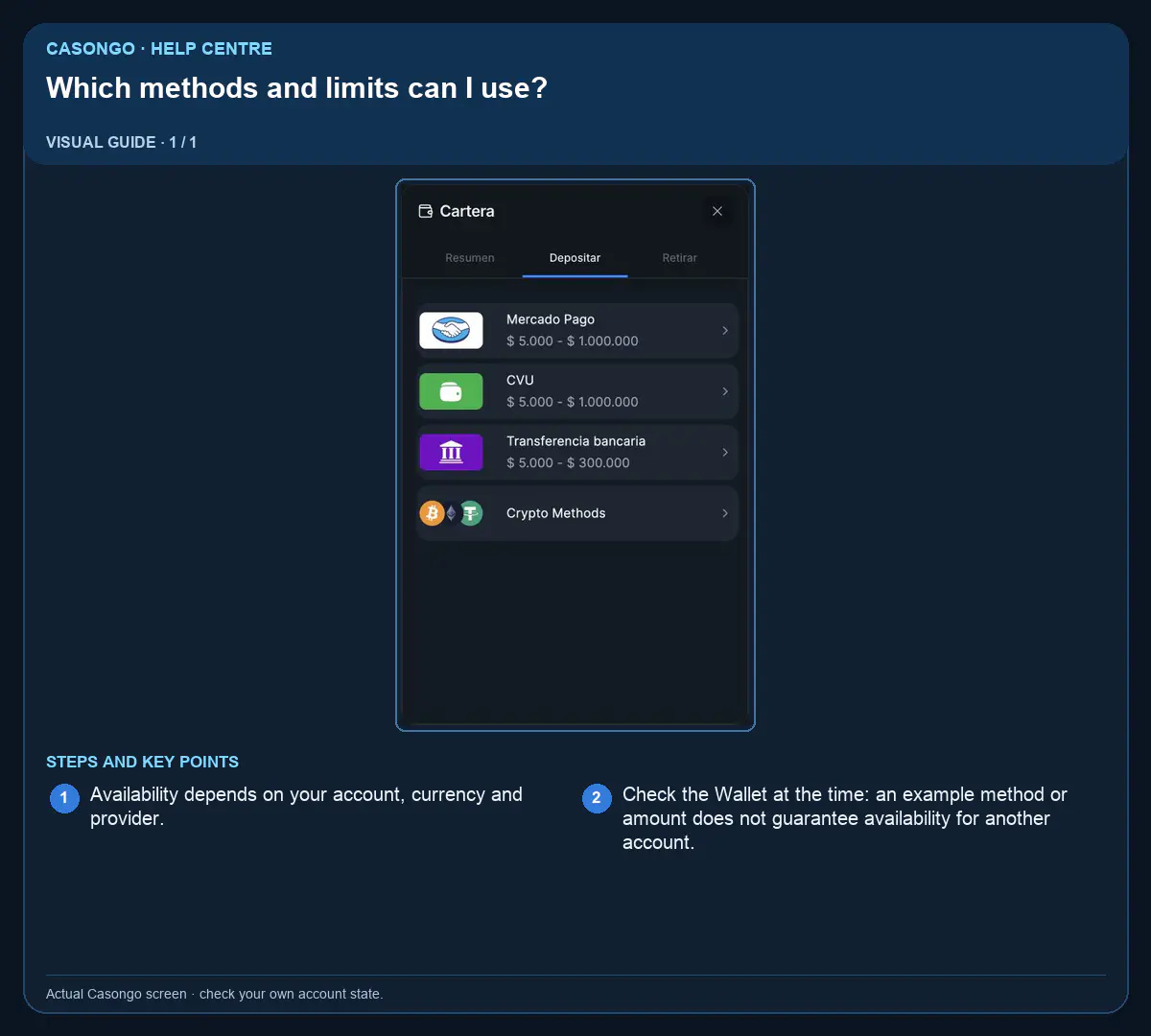
Casongo Wallet 路 Crypto Methods option. Amounts are shown for illustration.Casongo Wallet 路 Crypto Methods option. Amounts are shown for illustration.

2. Check the limits

Review the minimum and maximum shown in the cashier for your chosen method. Available methods and limits can vary by account.

3. Enter the amount

Enter the amount you want to deposit and follow the cashier instructions to get the payment details for that request.
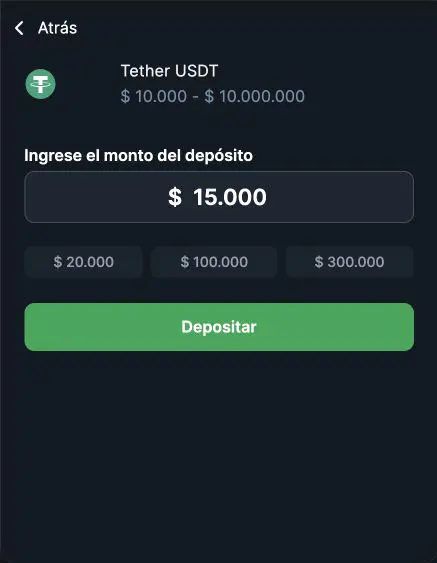
Casongo screen for entering a USDT deposit amountCasongo鈥檚 USDT deposit form, shown in Spanish. The amount and limits are illustrative.

4. Send the transfer

From your own wallet, scan the QR code if available or copy the address shown in the cashier. Before sending, check that the cryptocurrency, network, address and requested amount all match. Follow the instructions shown on screen.

Before sending A transfer sent to the wrong address or network may be irreversible. Use the details shown in the cashier for that deposit.

5. Wait for confirmations

Once you send the transfer, the network needs to confirm it. The timing can vary depending on the network and its activity.

6. Check the status

Go to Transactions and select Deposits. If the deposit is pending, check the transfer status in your wallet and wait for it to resolve before starting another deposit.
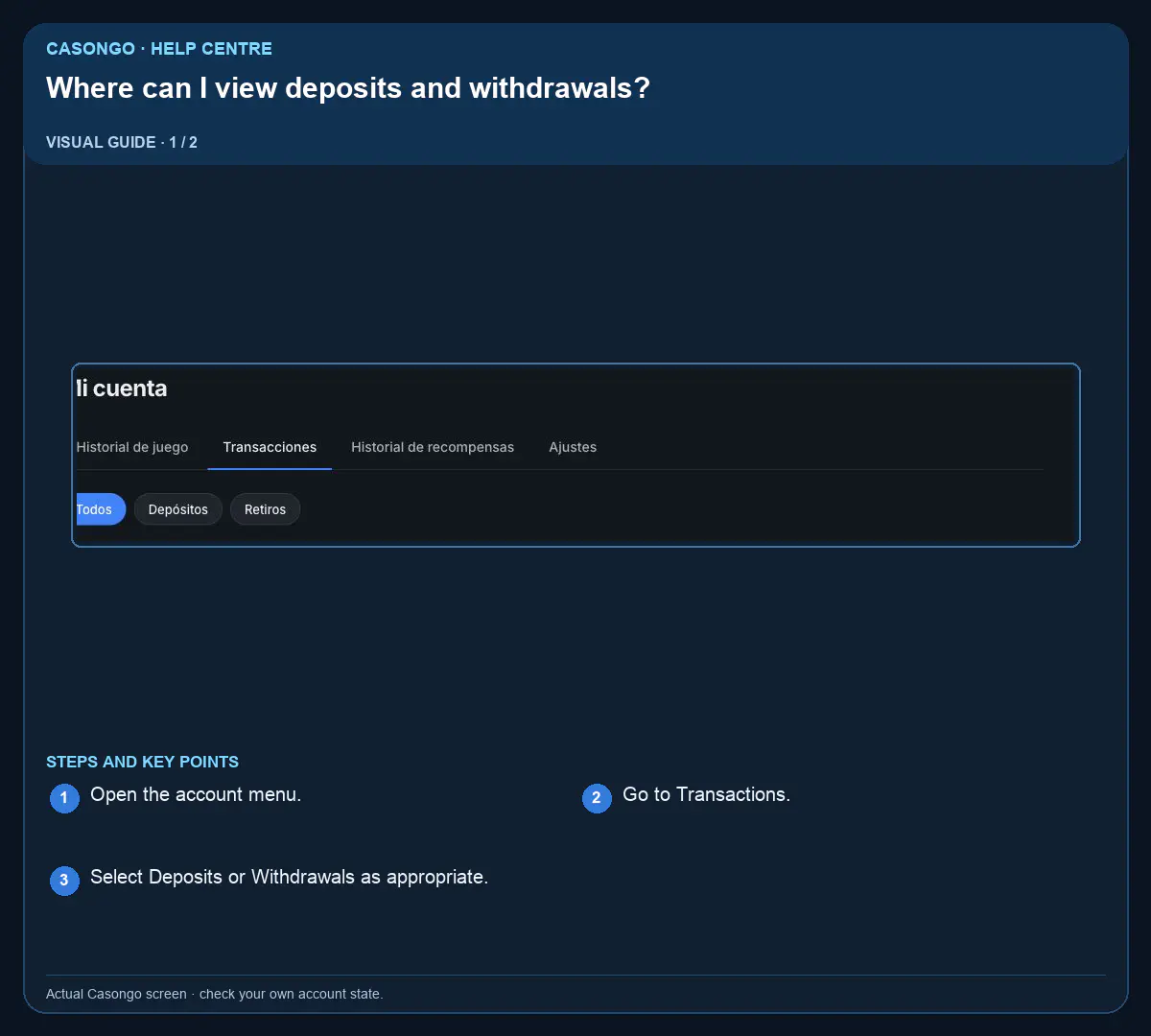
Casongo 路 Transactions filters for checking deposits and withdrawals.Casongo 路 Transactions filters for checking deposits and withdrawals.

7. Check your balance

Once the deposit is marked complete, check your Casongo balance. If you sent the transfer and the balance has not updated, contact support with the amount, time and transaction ID (TXID).