



How do I check my level and progress?
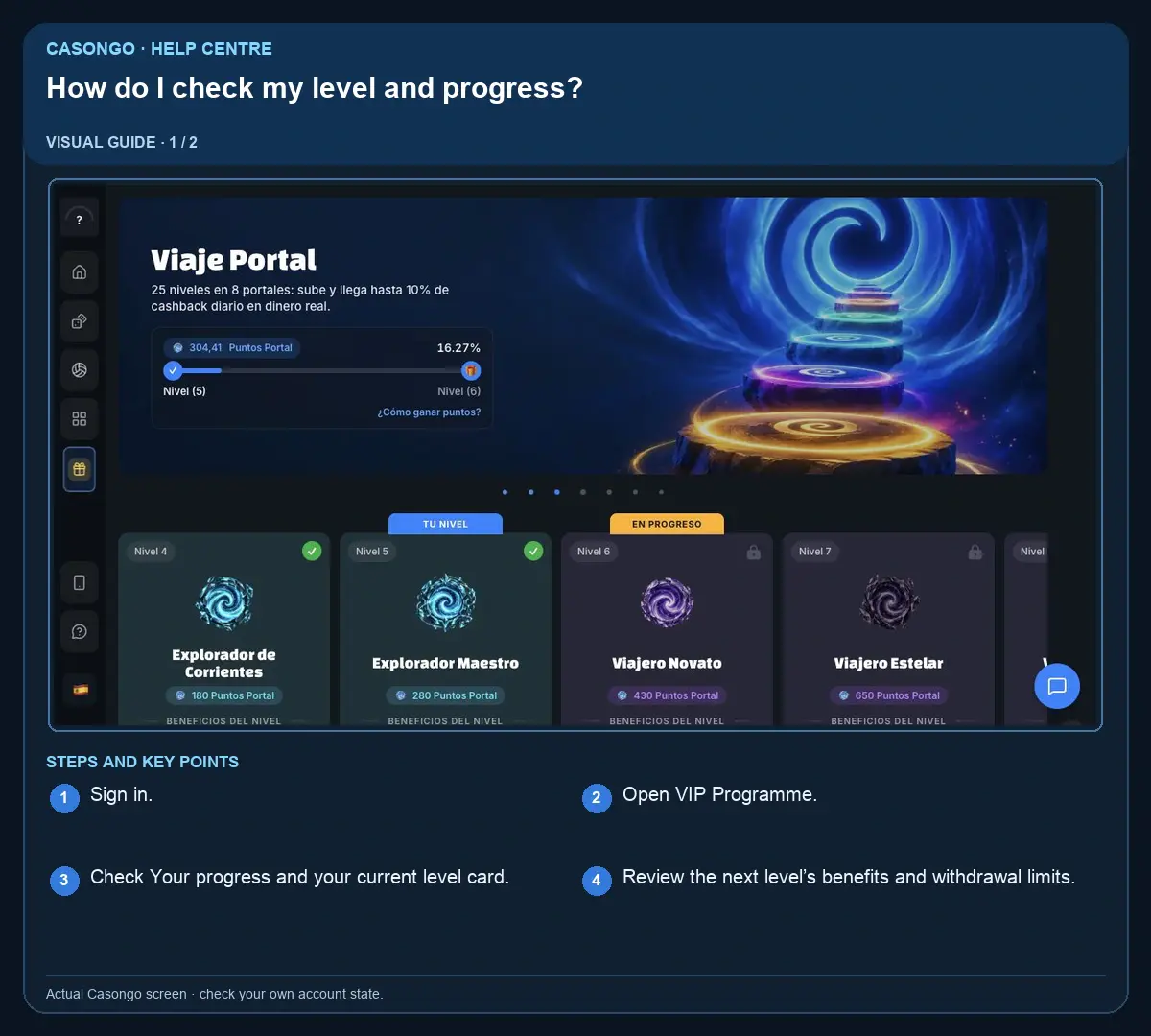
Viaje Portal has 25 levels grouped into 8 portals. The page shows your level, your Portal Points and your progress toward the next level.
Step by step
- 1Sign in.
- 2Open Promotions → VIP Program (Viaje Portal page).
- 3Check Your progress and your level card.
- 4Review the next level’s benefits and withdrawal limits.
Interface example. Your account state and availability may differ.
What to check
Your progress shows the points you have and how many you need for the next level. Cards for future levels show benefits you do not have yet. Bonus bets do not earn points.