



How do I open today’s portal?
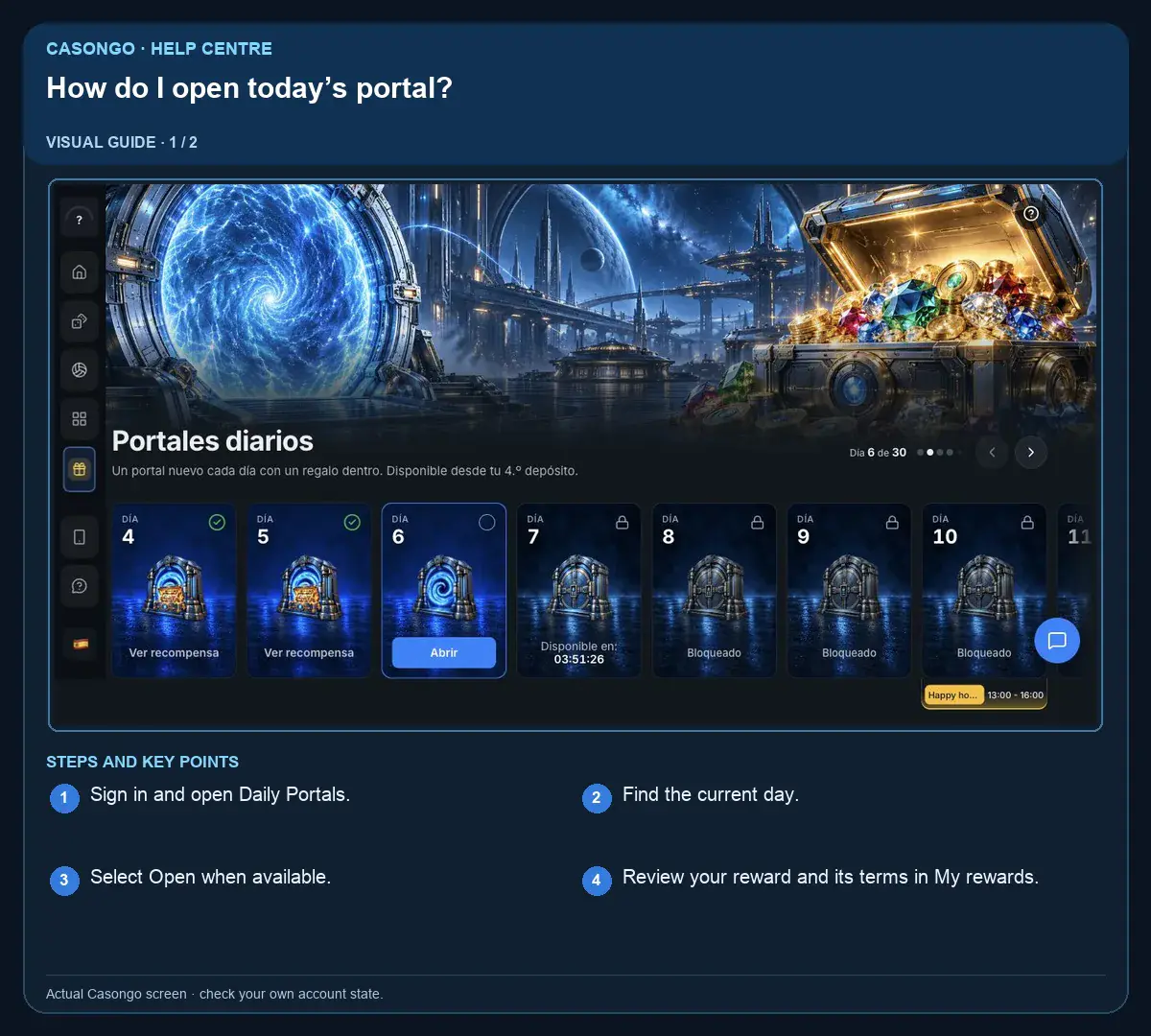
The calendar is available from your fourth completed deposit. Open it in Promotions → Daily Rewards (Daily Portals page). The gift is set when you open the portal, based on your account and deposits, so not everyone gets the same.
Step by step
- 1Sign in and open Promotions → Daily Rewards.
- 2Find the current day.
- 3Select Open when available.
- 4Check your gift. If it must be claimed, it is in Promotions → Bonuses (My rewards).
Interface example. Your account state and availability may differ.
What to check
Each day runs from 00:00 to 23:59 (UTC−3). Earlier days show View reward with the gift you already opened. Future days show Locked or a countdown. Days marked «Special» have a different gift, such as Wednesday spins.
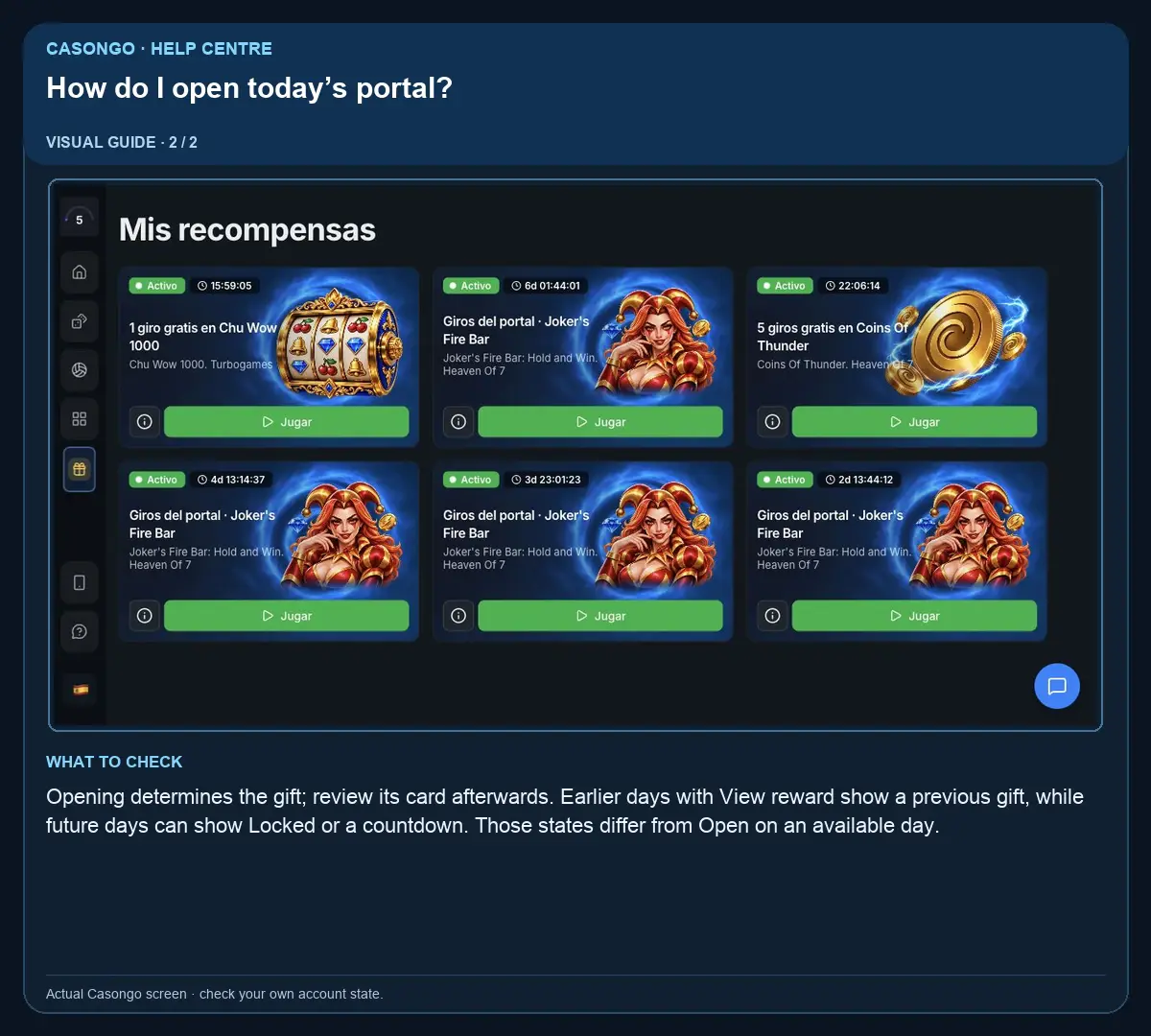
Interface example. Your account state and availability may differ.